This table defines the various reasons an order or sale have for an On Hold status.
Under Data Management, double-click Order Hold Reasons. This displays the Order Hold Reasons window.
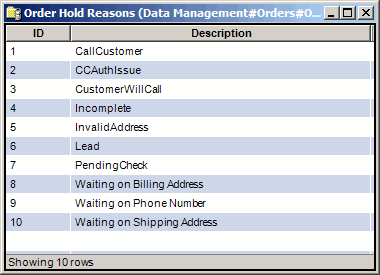
The On Hold Reasons window contains the following information.
ID | Unique text string to identify each hold reason. Use up to five alphanumeric characters. |
Description | Order hold reason applied to the on-hold order. Use up to 50 alphanumeric characters. |
The shortcut menu for this table lets you add, edit and delete order hold reasons. See Working with Data Management Tables.