This table defines Order Line Item States that explain the line item status. Some Order Line Items States may be installed with your system. You can define additional user-defined States. The Order Line Item State is assigned to an Order Line Item in Customer Management either manually or by task plan.
To set up and maintain the Order Line Item State table:
Under Data Management expand the Orders folder and double-click Order Line Item State. This displays the Order Line Item State window.
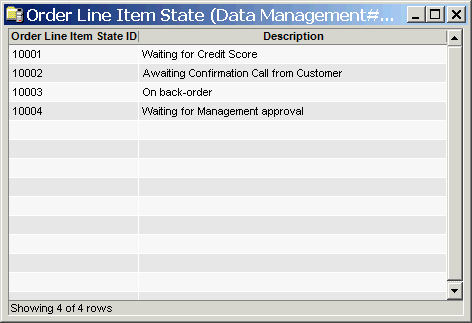
The Order Line Item State window contains the following information:
Order Line Item State ID
System-generated identifier that uniquely identifies the Order Line Item State.
Description
Description of the Order Line Item State. This description populates the Line Item State drop-down list of an order.
The shortcut menu for this table lets you add, edit and delete order line item states. See Working with Data Management Tables.