The Contact Type table lets you to enter a description for the type of Contact a person may be grouped with when adding a Contact on the Contact tab in Customer Management. To set up and maintain the Contact Type table:
Under Data Management double-click Contact Type. This displays the Contact Type window.
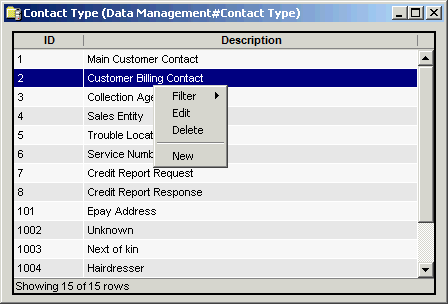
The Contact Type window contains the following information.
Contact Type ID
(read only)System-generated identifier that uniquely identifies the contact name.
Contact Name
Description of the contact type.
The shortcut menu for this table lets you add, edit and delete contact types. See Working with Data Management Tables.