Deleting an Attribute Object
- Published on Jul 26, 2026
An Attribute Object can be deleted from the system if it has not been selected as a Base Attribute or Attribute Definition.
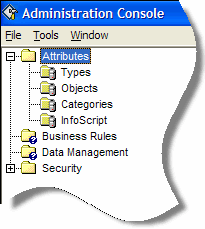
In Administration Console, navigate to the Attribute > Objects node.
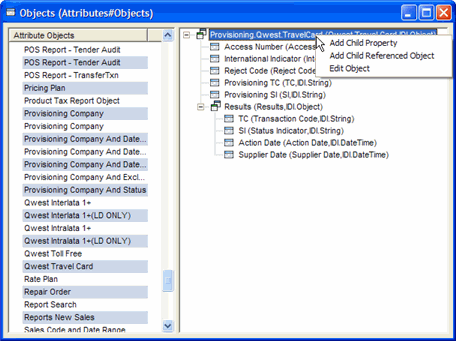
Double-click Objects to open the window.
Right-click the Attribute Object to be removed from the list and select Delete. This displays a confirmation message box.
Click Yes. The Attribute Object is removed from the Objects list.
See also:
About Attribute Objects
About Attributes
Was this article helpful?
Related articles
Knowledge Articles > Admin Console User Guide > Attributes > About Attribute Types
Knowledge Articles > Admin Console User Guide > Attributes > About Attribute Categories
Knowledge Articles > Admin Console User Guide > Attributes > About Attribute Categories