The Wire Center Types table lists the Wire Center Types that populate the Wire Center Type drop-down list provided in the Add Wire Center and Edit Wire Center windows (see Wire Centers).
Under Data Management double-click Wire Center Types. This displays the Wire Center Types window.
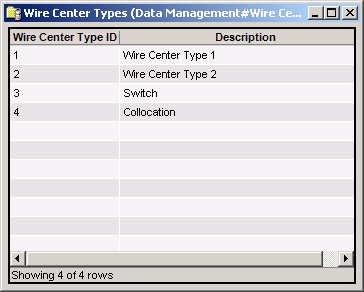
The Wire Center Types window provides the following information.
Wire Center Type ID
System-generated identifier that uniquely identifies the Wire Center Type.
Description
Name of the Wire Center Type.
The shortcut menu for this table lets you add, edit and delete wire center types.
To add a new Wire Center Type to the table:
Right-click any row in the Wire Center Types window and select New. This displays the Add Wire Center Type window.
(Show picture)
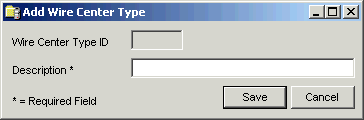
Enter the name or description of the Wire Center Type.
Click Save to add the new Wire Center Type to the table. This assigns a unique Wire Center Type ID to the new Wire Center Type, and updates the Wire Center Types window to include the Wire Center Type you just added.
See Admin Console > Data Management help for details.