This table defines Rate Periods used when entering information for Time of Day and Time Group details. This also populates the Time of Day list in the discount wizards.
To set up and maintain this table:
Under Data Management double-click Rate Periods. This displays the Rate Periods window.
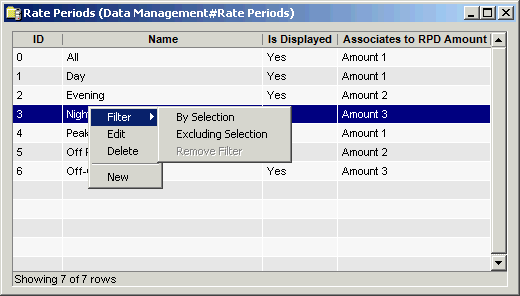
The Rate Periods window contains the following information.
ID
Unique number used to identify this record. The ID must be greater than 100. IDs lower than 100 cannot be modified or deleted.
Name
Rate Period name.
Is Displayed
Check this box to display the Rate Period as an option in the drop-down list on the Time of Day window.
Associates to RPD Amount
Select the RPD (rate plan detail) Amount (Amount 1, Amount 2, or Amount 3) from the drop-down list. This associates the rate plan details amount with the time of day group.
The shortcut menu for this table lets you add, edit and delete payment types. See Working with Data Management Tables.