This table defines methods of payment that can be used when paying an invoice. To set up and maintain the Payment Types table:
Under Data Management double-click Payment Types. This displays the Payment Types window.
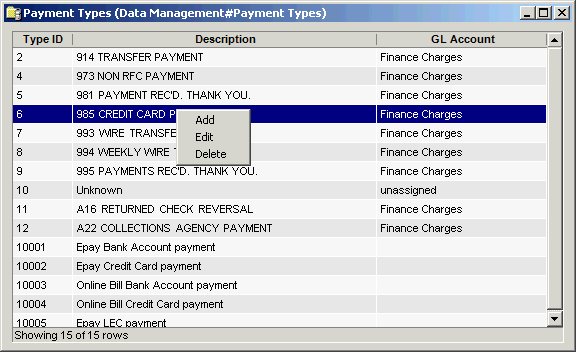
The Payment Types window contains the following information.
Type ID
Enter a unique number which is used to identify each payment type. The system allows up to 5 alphanumeric characters.
Note
Numbers 10,000 and above are reserved for IDI Billing Solutions' use.
Description
Defines different types of payments that can be applied to a customer account. The system allows up to 32 alphanumeric characters.
GL Account
General Ledger account type.
The shortcut menu for this table lets you add, edit and delete payment types. See Working with Data Management Tables.