This table defines codes to describe the different types of deposits that can be applied to customer account balance(s). Examples: 1 year, Escrow. To set up and maintain this table:
Under Data Management expand the Deposits folder and double-click Deposit Types. This displays the Deposit Types window.
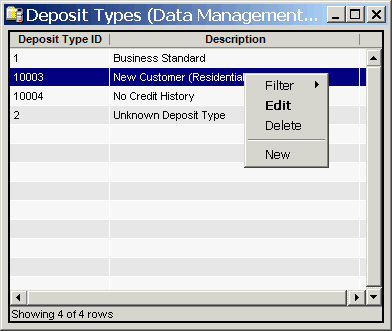
The Deposit Types window contains the following information.
Deposit Type ID
System-generated identifier that uniquely identifies the deposit type. (IDs less than 10000 are reserved for the system.)
Description
Description of the deposit type.
The shortcut menu for this table lets you add, edit and delete deposit types. See Working with Data Management Tables.