This table defines affinity groups that maintain commissioning programs for a telecommunications provider and an outside organization. Once set up, the organization gets a percentage of total calls (usage) invoiced. The affinity group name is specified via a drop-down list on the New/Edit Customer Info Additional Info tab. If you create a custom invoice report, the affinity message can be displayed on the customer invoice. To set up and maintain the Affinities table:
Under Data Management double-click Affinities. This displays the Affinities window.
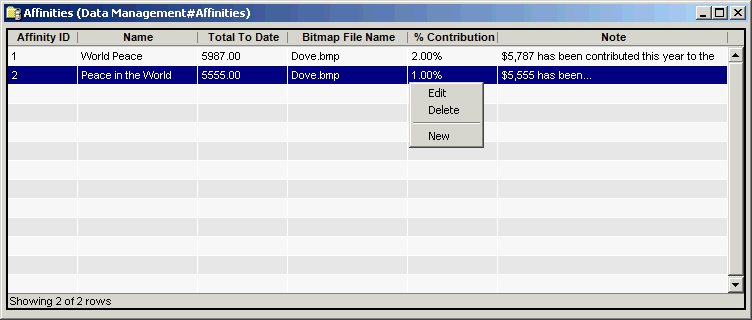
The Affinities window contains the following information.
Affinity ID
(read only)System-generated identifier that uniquely identifies the affinity group record.
Name
Affinity Group name specified via a drop-down list on the New/Edit Customer Info Additional Info tab in Customer Management.
Total To Date
Total amount of money earned by the affinity group. This field is not updated automatically by the system. It must be updated manually.
Bitmap File Name
Bitmap file name that specifies where to have a graphic print on a customer invoice.
% Contribution
Percentage a customer has contributed to an affinity group. Entries are displayed as percentages, for example, .15 is displayed as 15% and 95 is displayed as 95%.
Note
Personalized text message to the customer from the affinity group (up to 255 characters). This message can appear on customer invoices for this group if you create a customer invoice report that includes this field. The message must be updated manually.
The shortcut menu for this table lets you add, edit and delete affinities. See Working with Data Management Tables.