To set up and maintain the NPAs table:
Under Data Management double-click NPAs. This displays the NPAs window.
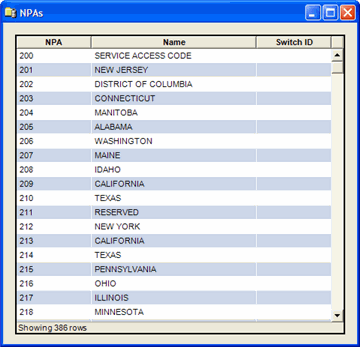
The NPAs window displays the following information:
NPA ID
Valid NPA number.
Name
Name of the NPA.
Switch ID
Switch ID number associated with the record.
The shortcut menu for this table lets you add, edit and delete NPAs. See Working with Data Management Tables.
Note
The NPAtable functions are also available in the IDI Desktop Client under BackOffice Management.