The Interest Rates table lets you specify the Interest Rates in effect at a given time for each state, if required. Simple interest is calculated on an annual basis. To set up and maintain this table:
Under Data Management expand the Deposits folder and double-click Interest Rates. This displays the Interest Rates window.
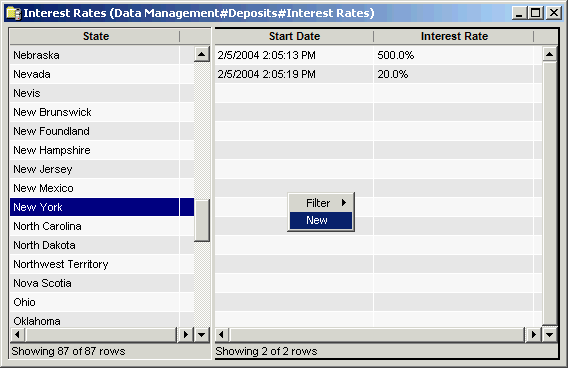
The Interest Rates window contains the following information.
State
Click on a state in the left side of the window to display the interest rates for that state.
Start Date
Date that the interest rate went into effect for that state. The interest rate will be in effect until a new rate is entered with a later start date. The earlier rate ends on the day before the new rate's Start Date.
Interest Rate
Percent used to calculate the simple interest. Enter the Interest Rate as a decimal (such as .0225 to become 2.25%).
You can use the shortcut menu in the state list to filter and make selecting a state easier.
Select the state, then manage that state's interest rates using the shortcut menu on the right side.
The shortcut menu for this table lets you add, edit and delete interest rates. See Working with Data Management Tables.