This table defines the text that describes the status of a particular journal. These statuses are associated with a Journal Class.
To set up and maintain the Journal Statuses table:
Under Data Management expand the Journals folder and double-click Journals Statuses. This displays the Journal Statuses window.
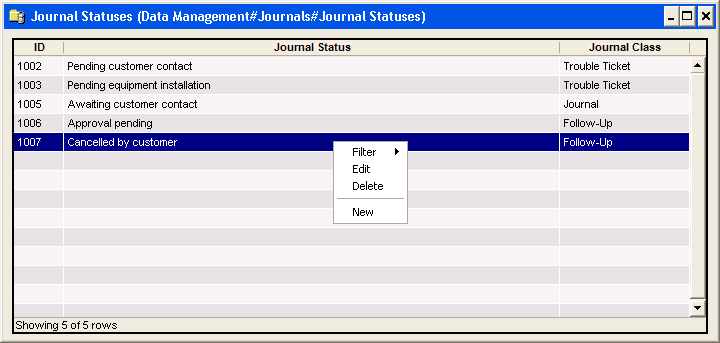
The Journal Statuses window contains the following information:
ID
(read only)System-generated identifier that uniquely identifies the journal status record.
User Group
This lets you limit the selection of this Status to a specific class(or classes) of users. Select one or more User Groups to determine which class(es) of users will be permitted to select this Status when adding a journal. Not selecting any group makes the Status available to all users.
Journal Status
Journal status text.
Journal Class
Associated journal class:
Journals
Follow-Ups
Troubles
Note
The journal class cannot be changed if a journal of that class is assigned to a customer.
Note
The system does not change the status of a Follow-up or Trouble Ticket as it is worked. It is the responsibility of the user to change it manually.
The shortcut menu for this table lets you add, edit and delete journal statuses. See Working with Data Management Tables.