This table defines the different reasons an adjustment may be applied to customer account balance(s). It also specifies the dates the reason can be used.
To set up and maintain the Adjustment Reasons table:
Under Data Management, double-click Adjustment Reasons. This displays the Adjustment Reasons window.
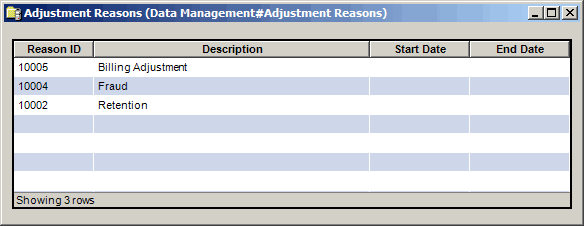
The Adjustment Reasons window contains the following information.
Reason ID
Unique text string to identify each adjustment reason. Use up to five alphanumeric characters.
Description
A description of the reason an adjustment is applied to the customer account. Use up to 50 alphanumeric characters.
Start Date
The first day the adjustment reason can be selected. If left blank, the reason can be selected as soon as it is saved in the system.
End Date
The last day the adjustment reason can be selected. If left blank, the reason can be selected until a date has been entered and met.
The shortcut menu for this table lets you add, edit and delete adjustment reasons. See Working with Data Management Tables.