The Collection Agency table populates the Agency drop-down list in the Update Collection Agency and Bulk Update Collection Agency windows. It is also used in the Collections Search window.
To set up and maintain the Collection Agency table:
Under Data Management expand the Treatment folder and double-click Collection Agency. This displays the Collection Agency window.
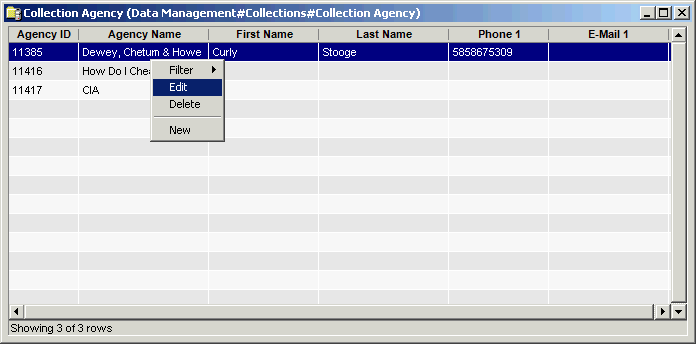
The Collection Agency window provides the following information:
Agency ID
System-generated identifier that uniquely identifies the collection agency.
Agency Name
Name of the collection agency.
First Name
First name of the collection agency's contact.
Last Name
Last name of the collection agency's contact.
Phone1
Contact's phone number.
E-mail1
Contact's e-mail address.
The shortcut menu for this table lets you add, edit and delete collection agencies. See Working with Data Management Tables.
In addition to the agency information described above, the add and edit dialog boxes have three additional tabs for specifying phone numbers, street addresses, and e-mail addresses for the agency.