
Credit provider integration has been enhanced to retrieve Transunion’s OFAC Name Screen optional add-on report (6800) and parse the results. OFAC is an office in the US Department of the Treasury that administers and enforces economic and trade sanctions against offending entities.
For service providers that use TransUnion as their credit checking agent and use the OFAC screen name report, an OFAC notification alert is returned on a subscriber’s credit report when their name matches a name on the US Department of Treasury’s Specially Designated Nationals (SDN) list. This information is available on screens for credit checking in both Customer Care and CostGuard Client and is also available for the credit response workbook. Note: A separate Work Order (WO) is required to make workbook changes to support this functionality.
This enhancement can help service providers avoid selling to entities that pose a threat to the US national security, foreign policy or US economy such as targeted foreign countries and regimes, terrorists, and international narcotics traffickers.
Viewing OFAC Screen Report Results
When you have an account open in Customer Care, selecting Account > Credit Reports displays a page listing credit reports for that account. The two columns at the right of this grid provide icons for viewing credit report information.

- View Credit Report – The Credit Report (! icon shown above) shows the OFAC response in the Score Details section of the TransUnion credit report.
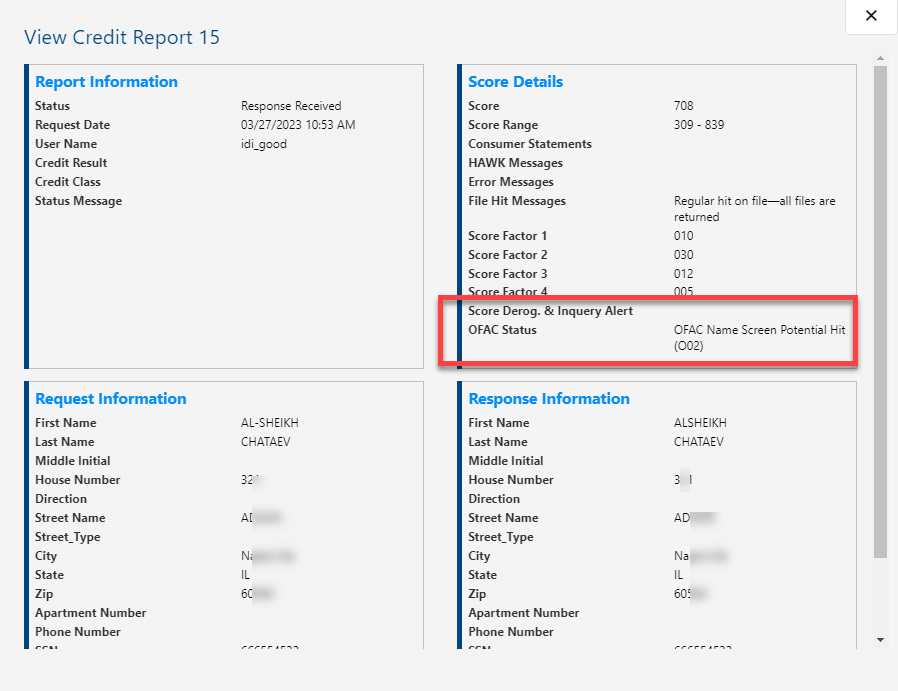
- View Details – The Detail view (farthest right icon) provides additional MT01 text labels when a potential hit is made.
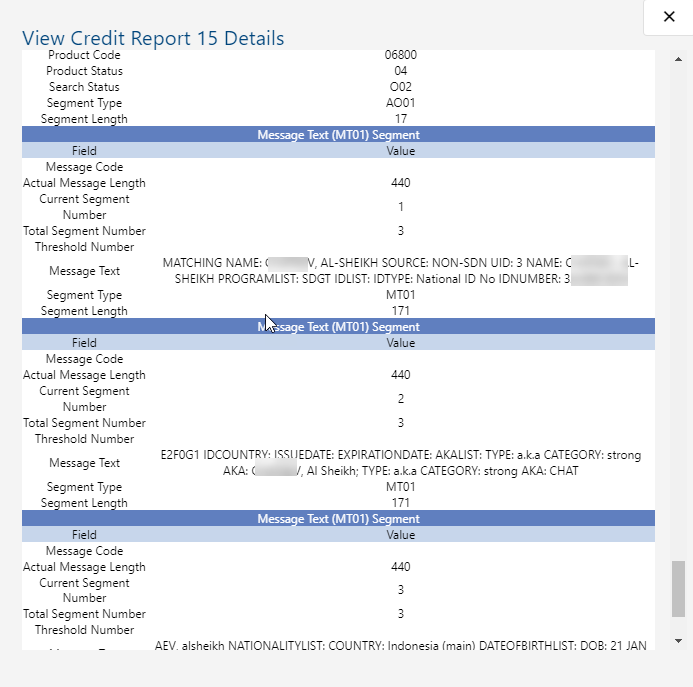
These same views are available in CostGuard Client when you have an account open on the Credit Reports tab.


Note: The OFAC Message See Details link lets you see the full response.
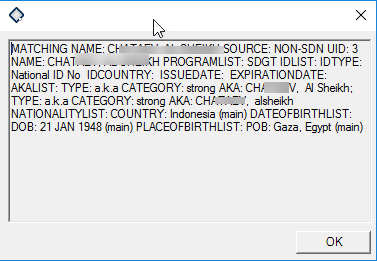
TransUnion Credit Report Search
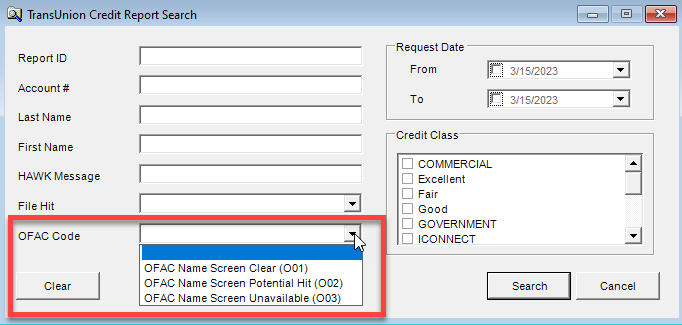
Also, in CostGuard Client, the TransUnion Credit Report search now lets you use OFAC Code as search criteria. The drop-down menu provides three options:
- O01 OFAC Name Screen Clear
- O02 OFAC Name Screen Potential Hit
- O03 OFAC Name Screen Unavailable
Below shows a search result for code 002 – Potential Hit.

