Each new version of the IDI platform may contain updates and new functionality that has been added to the Web API’s. This document describes the process for developers to determine what Web API versions are deployed for a particular IDI platform environment and how to retrieve WSDL files for them.
Determine Web API Versions
To determine Web API versions for a particular environment:
- Navigate to https://costguard.idibilling.com and log in.
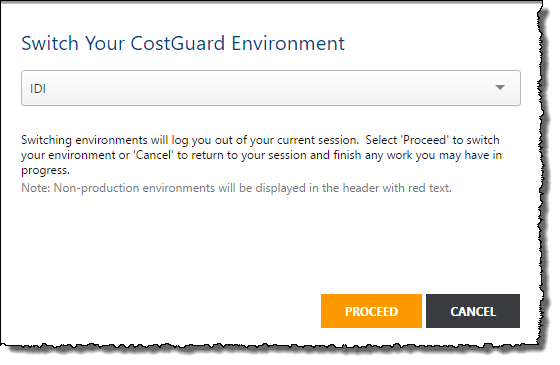
- If the environment you need information for is not the correct one, switch your environment by clicking on the current environment name.
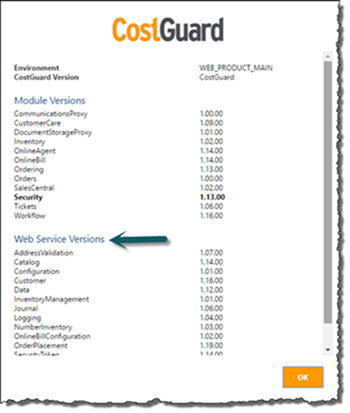
- An IDI platform version indicator has been added to the title bar and is visible when on the IDI homepage. Clicking the version indicator will open a Help-About dialog. Web API versions for the environment are displayed.

Download the Appropriate WSDL
Once you know the version of the Web API that you need a WSDL for you can download them directly from the Web API documentation found under the Developer Resources section of support.idibilling.com.
Open the documentation and find the release note for the version you need and click on the WSDL link.

Retrieving Older WSDL Files
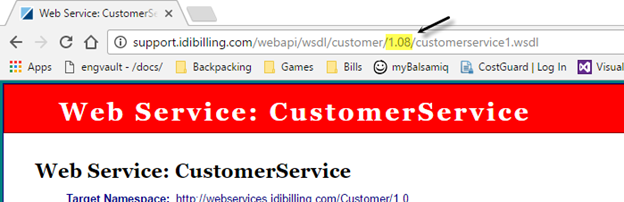
WSDL files for older versions of Web API’s may not be linked in the documentation however they can be accessed directly by specifying the version number in the URL manually.